
Answer repeat questions
Use approved business content for the details customers ask about again and again, such as operating hours, services and how to get started.
VERSYS MEDIA / WHATSAPP AI SUPPORT
We configure WhatsApp AI customer support around your company information, common questions and escalation needs. You keep a shared inbox and a clear way for your team to take over.
Built around approved business knowledge, responsible AI use, and a clear path to human support.
GUIDED PRODUCT SIMULATION / TRY IT YOURSELF
Explore the real Help Desk experience in a safe, interactive simulation. Watch the AI answer WhatsApp messages, follow the human handoff, see contacts saved automatically, and explore Dineplan guest context.
Interactive demonstration using fictional customer and booking data. No WhatsApp messages are sent, no reservations are created, and nothing changes in a live Help Desk account.
SETUP IS PART OF THE SERVICE
We help connect approved information, define handoffs, test real questions and plan how the support team uses the system.
What this could change for your team
Customers don't care how complicated your support tools are. They want useful answers and a way forward. A well-configured WhatsApp AI agent can handle straightforward questions while your team focuses on the cases that need judgment.
Use approved business content for the details customers ask about again and again, such as operating hours, services and how to get started.
Route complicated, uncertain or sensitive conversations to your team, with customer history available in a shared workspace.
Use your company's WhatsApp connection, approved knowledge and AI settings. Review customer conversations, contact records and operational activity.
Make support feel helpful
The starting point is not a huge automation flow. It's a set of correct, approved answers. We help turn that knowledge into an AI-assisted customer service workflow with clear limits.
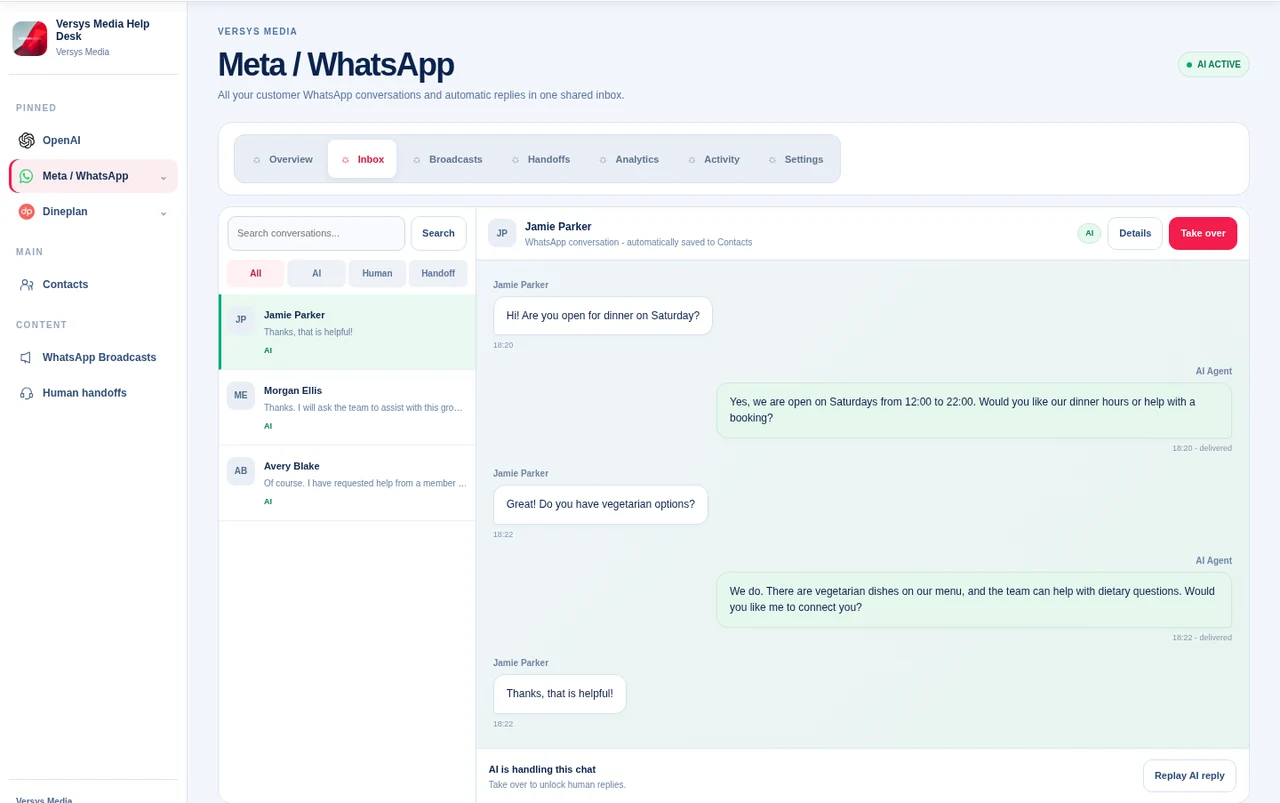
Example conversation
Illustrative example only. Actual answers depend on your approved content, workflow rules and WhatsApp configuration.
Setup and onboarding
You don't need to arrive with a complete technical specification. Bring your common customer questions, your support process and the problems you want to reduce. We'll scope the account connections, AI configuration and handoff requirements together.
Discuss customer questions, response priorities, support hours and what should always go to a human.
Plan a supported Meta WhatsApp Cloud API connection and your company's OpenAI configuration, subject to account eligibility.
Set approved answers, client workspace permissions, AI behavior and conditions that transfer a conversation to your team.
Walk through real scenarios, check what happens when the agent is unsure, and review your team's ability to take over.
Scope, compatibility, pricing and timeline are confirmed after we understand your requirements.
Try it yourself
Open WhatsApp and chat directly with the Versys Media Help Desk AI agent. Ask about services, pricing, booking a strategy call, or try a normal customer-support style question.
Platform capabilities
The Help Desk is designed as an operating workspace for WhatsApp support. AI can handle routine conversations while your team keeps control of customer records, knowledge, moderation, handoffs, integrations and reporting.
Incoming Cloud API messages are recorded in the correct client workspace with delivery status and conversation history.
Each client supplies their own OpenAI project/API key and can control the model and permitted AI settings for their workspace.
Support can take over a conversation, reply as the team, manage a handoff and later return the chat to AI mode.
Useful customer context can be stored separately from full history so the agent does not need thousands of old messages in every prompt.
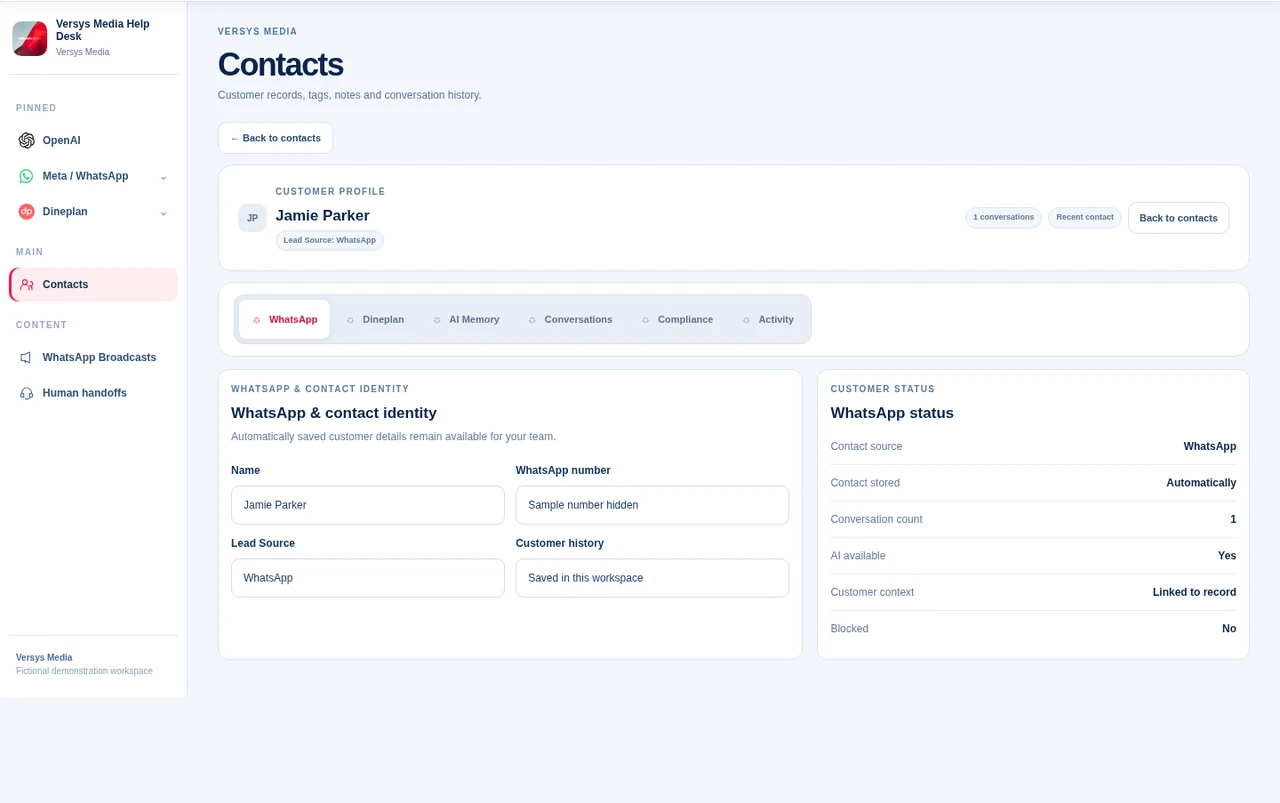
Contacts can include notes, tags, service interest, lead stage, compliance fields, AI memory and historical conversations.
Staff can block contacts manually, review blocked contacts and use configurable automated protections for spam or abuse.
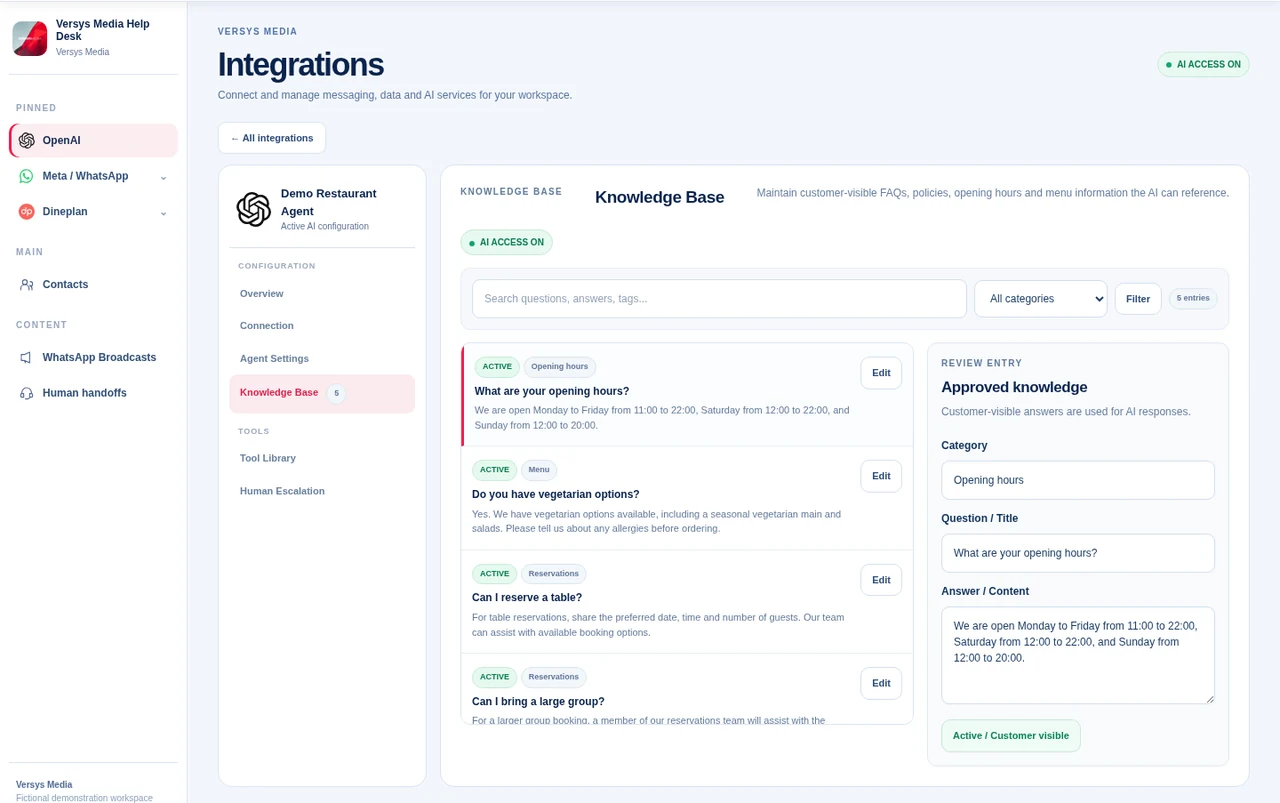
Add knowledge manually or import CSV data. Customer-facing approval controls help prevent draft/internal content from reaching the AI.
Track support volume, AI versus human replies, handoffs, integration issues and detailed workspace activity.
Inbox and handoff
Your team can monitor the live inbox, see who is handling a conversation and take over without losing the customer history around the chat.
Client control
Clients are not handed a black-box chatbot. The workspace exposes the operational controls needed to manage support, AI behavior, customer information, integrations and staff access.
Control how automated support is connected and how the AI behaves.
Manage the people, records and workflows around customer support.
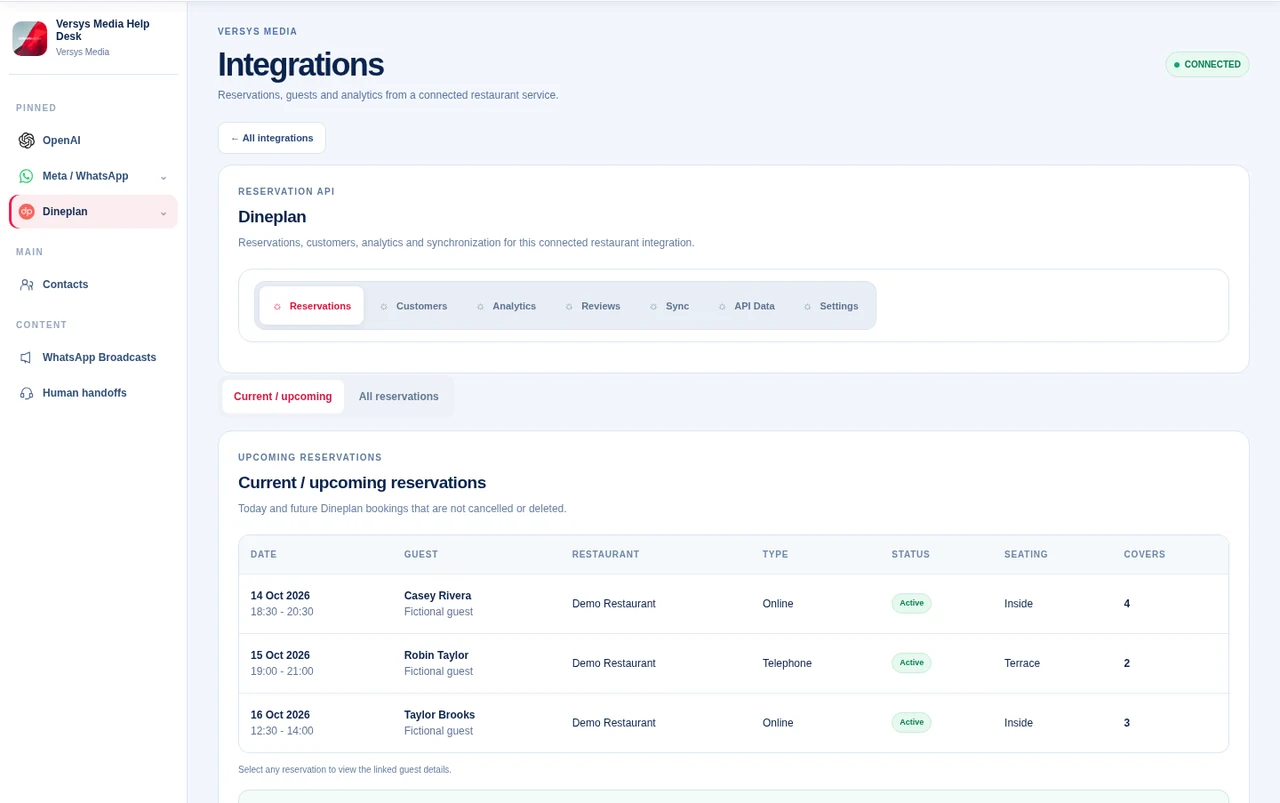
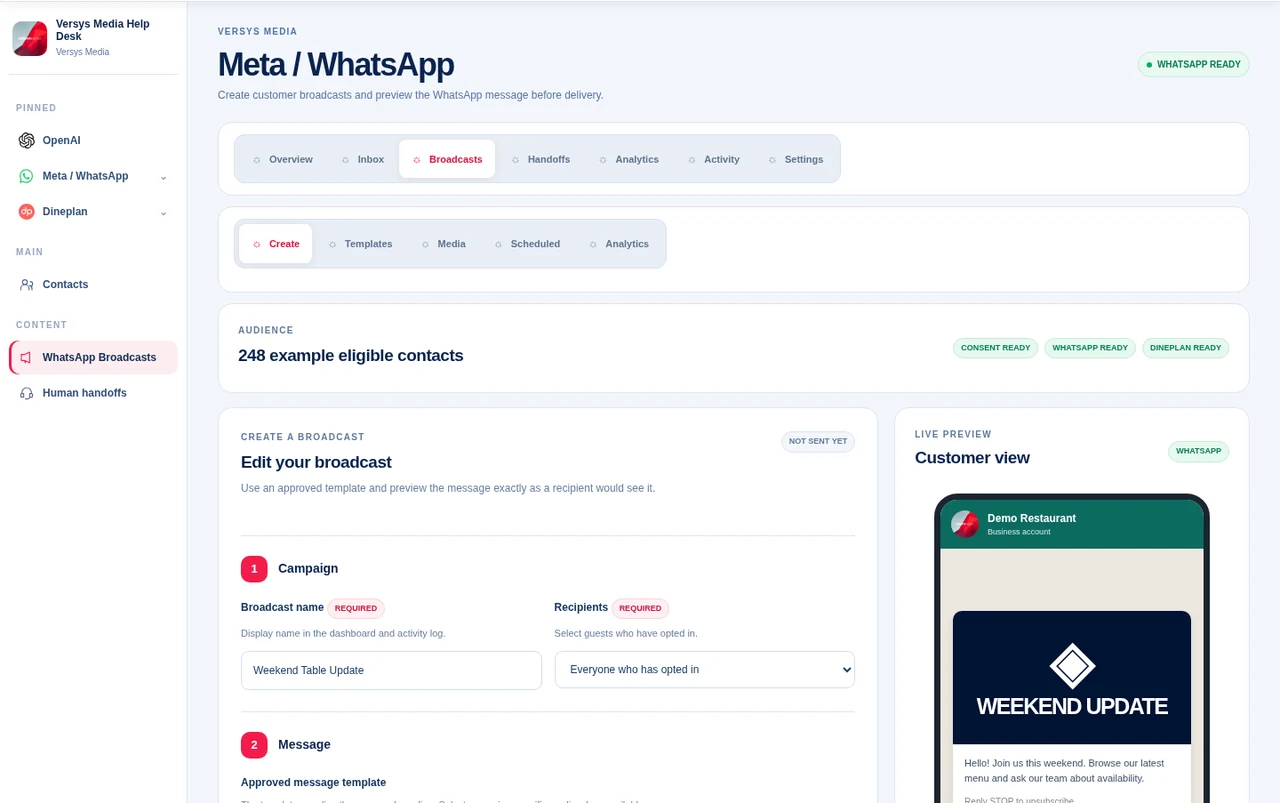
Interface previews based on the current Help Desk layout, with fictional contacts and sample data.
Safety and control
AI is treated as one component of the support system, not as the security authority. Important controls remain in the application layer and can be reviewed by people.
Chats, contacts, settings, knowledge, credentials and reports are scoped to the client workspace rather than shared across tenants.
Suspicious attempts to override hidden instructions or claim privileged authority can be stopped and routed to a human handoff.
Manual blocking and configurable automated rules can stop unwanted contacts before normal AI processing continues.
Activity can record who acted, what happened, the affected area, request source, IP and change evidence where available.
No automated safety layer is perfect. High-risk events are designed to stop or hand off rather than giving the AI authority over privileged actions.
How it works
A message arrives through the client's connected Meta WhatsApp Cloud API number.
The webhook resolves the client/contact and stores the message in the correct workspace.
Blocking, abuse and suspicious-input controls can stop or hand off a message before normal AI processing.
Eligible AI-mode chats use the client's OpenAI configuration, while support can take over at any time.
Common questions
The live demo is the best way to see the workflow using your own support requirements and team structure.
Yes. Start with a setup call to explain your support process. We can help plan the WhatsApp connection, approved knowledge, AI settings, team access and handoff workflow. The exact implementation scope is agreed after discovery.
That depends on the phone number, your existing WhatsApp setup and Meta's current onboarding requirements. We'll review your options before making any changes.
There isn't a responsible fixed quote without understanding your workflow. Setup requirements, support needs and third-party usage can affect cost. We discuss scope and account charges on the introductory call.
The workflow can use approved knowledge and handoff rules so a team member can step in. We recommend testing uncertain questions and sensitive requests before launch. No AI system is error-free.
No. The product is built around client-scoped workspaces. Clients connect their own supported Meta WhatsApp configuration and their own OpenAI API key.
Yes. Staff can take over a live conversation and, when appropriate, return it to AI later.
Yes. The Knowledge Base is intended to hold approved business information the agent can use when answering customer questions.
Yes. The workspace includes manual blocked-contact controls and configurable automated abuse/spam protections.
Yes. Reporting and activity views provide operational visibility, and audit records can capture actor/action/source information where available.
Not in the current build. The Help Desk is focused on customer-service conversations, controlled AI assistance and human support workflows.
See it with your workflow
Tell us what your customers ask most often. We'll talk through the setup, show you the live Help Desk, explain where people can take over, and discuss a realistic rollout for your company.

